Website loading speed is one of the key ranking factors in search engines. In addition, users do not like waiting - according to research, 40% of visitors leave a website if it loads longer than 3 seconds.
In this article, we review 10 effective ways to speed up your WordPress website.
1. Choose Quality Hosting
Hosting is the foundation of your website. Even the best-optimized website will run slowly on poor hosting. We recommend choosing hosting providers that specialize in WordPress and offer SSD storage, sufficient RAM, and CPU power.
2. Use a Lightweight Theme
Many WordPress themes are overloaded with features you may never use. Choose lightweight themes optimized for speed. You can also consider using frameworks to build a custom theme.
3. Optimize Images
Images are often the largest files on a website. Before uploading images, optimize them with dedicated tools or plugins such as Smush or ShortPixel.
4. Use Caching
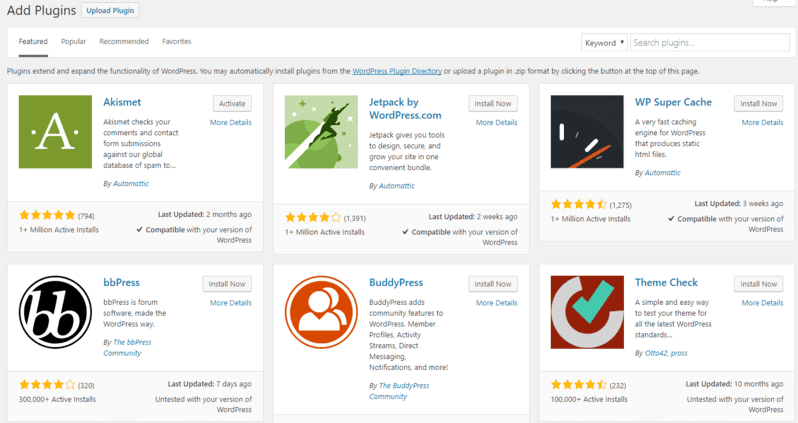
Caching stores static versions of your pages, which significantly speeds up loading. We recommend plugins like WP Rocket, W3 Total Cache, or LiteSpeed Cache.
5. Minimize HTTP Requests
Each page element (images, scripts, styles) requires a separate HTTP request. Reducing the number of these requests can significantly speed up loading. Combine CSS and JavaScript files and use CSS sprites for images.
6. Use a CDN
A Content Delivery Network (CDN) distributes your content across servers worldwide, allowing visitors to load files from the nearest server. Popular CDNs: Cloudflare, StackPath, BunnyCDN.
7. Optimize the Database
Over time, the WordPress database accumulates unnecessary data: post revisions, spam comments, and deleted posts. Clean your database regularly using plugins like WP-Optimize or Advanced Database Cleaner.
8. Use Lazy Loading for Images
Lazy loading makes images load only when they enter the visible screen area. This significantly speeds up the initial page load.
9. Minimize Plugin Usage
Each plugin adds extra code to your website, which can slow it down. Regularly review installed plugins and remove those you do not use.
10. Update WordPress, Themes, and Plugins
Regular updates not only improve website security but also often include performance optimizations. Always keep WordPress, themes, and plugins up to date.
Conclusion
WordPress speed optimization is not a one-time task but ongoing work. Regularly test your website speed with Google PageSpeed Insights, GTmetrix, or Pingdom and apply the required adjustments.
If you have questions about WordPress speed optimization, contact us. We will help make your website as fast and effective as possible.
Learn more about website speed optimization.