Search engine optimization (SEO) is a key factor in the success of any website. WordPress, as the most popular CMS in the world, provides many built-in features and plugins for SEO optimization.
In this guide, we cover all aspects of SEO optimization for WordPress websites: from basic settings to advanced techniques.
Basic WordPress SEO Settings
1. Configure Permalinks
By default, WordPress uses a URL structure that includes a post ID (for example, /?p=123). This structure is not SEO-friendly. We recommend changing it to a cleaner format such as /%postname%/.
To do this, go to Settings > Permalinks and select "Post name".
2. Search Engine Visibility Settings
Make sure your website does not block search engines. Go to Settings > Reading and make sure the "Discourage search engines from indexing this site" option is unchecked.
Installing and Configuring an SEO Plugin
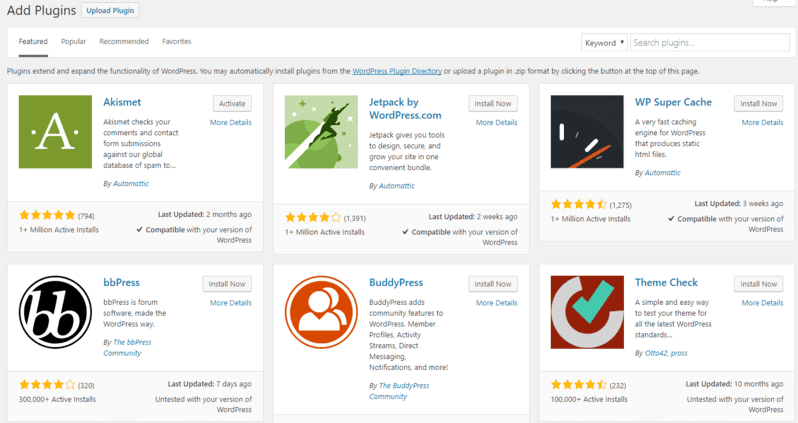
Although WordPress has basic SEO features, we recommend installing a dedicated SEO plugin for deeper optimization. The most popular options are:
- Yoast SEO
- All in One SEO Pack
- Rank Math
We recommend Yoast SEO as the most complete and user-friendly tool.
Yoast SEO Setup
After installing Yoast SEO, complete the following settings:
- Set your site title and meta description
- Configure social profiles
- Configure the XML sitemap
- Configure robots.txt
- Configure breadcrumbs
Content Optimization
1. Keywords
Before creating content, conduct keyword research. Use tools like Google Keyword Planner, Ahrefs, or SEMrush to find relevant keywords with high search volume and low competition.
2. Title Optimization
The title is one of the most important SEO elements. It should include your primary keyword and be attractive to users. The optimal title length is 50-60 characters.
3. Meta Description
The meta description is not a direct ranking factor but affects CTR (click-through rate). It should be informative, include keywords, and contain a call to action. The optimal meta description length is 150-160 characters.
4. Alt Text for Images
Alternative text (alt text) is important for SEO because it helps search engines understand image content. Use descriptive and relevant keywords in alt text.
Technical Optimization
1. Website Loading Speed
Website loading speed is an important ranking factor in search engines. Use tools like Google PageSpeed Insights to test your website speed and get recommendations for improvement.
2. Mobile Optimization
Make sure your website displays correctly on mobile devices. Use responsive design and test your mobile version with Google Mobile-Friendly Test.
3. SSL Certificate
An SSL certificate is an important trust factor for users and search engines. Make sure your website uses HTTPS.
Analysis and Monitoring
Regularly analyze your website traffic and search rankings using tools like Google Analytics and Google Search Console. This helps you identify issues and opportunities for SEO improvement.
Conclusion
SEO optimization is an essential part of successfully running a WordPress website. By following the recommendations above, you can improve your website visibility in search engines and attract more visitors.
If you have questions about SEO optimization for your WordPress website, contact us. We will help make your website more visible and attractive to search engines.
Learn more about SEO optimization for your WordPress website.